
As hopefully, all of you know, since our last update we discovered, fixed and disclosed a major security issue. We’d like to thank everyone who helped us get the word out, including Post Sta.us, WPTavern, WPEngine, GoDaddy and MediaTemple. Also, we’d like to thank everyone who has been so supportive of us during this process. The overwhelmingly positive response to our disclosure confirmed our belief that the best way to handle a situation like this is to be quick, honest, open and personable.
While we do not have any big exciting releases planned this week like we did the week of our last update, we have been hard at work on Pods 3.0 and ensuring that we get the word out about our recent security fixes. One bit of exciting news we do have is progress on our front-end layout system Pods Frontier, which is in public beta, but is getting closer to being ready for proper release. It now has a complete readme that shows some of the great things you can do with it.
Also in this newsletter we have a cool site made with Pods to show you and a simple code example to show you how easy it is to cache Pods queries.
Pods Frontier: Progress and New Comprehensive Readme
Two weeks ago, Pods Frontier, the new system for simplifying the process of outputting Pods data, went into public beta. Since then we have fixed several issues and created a comprehensive readme detailing all of the exciting new things you can do with it. Pods, when combined with Pods Frontier and either the Pods Frontier shortcode or Pods Frontier Auto Template, makes it possible to use WordPress as a highly customizable and powerful content management system without writing any php code.
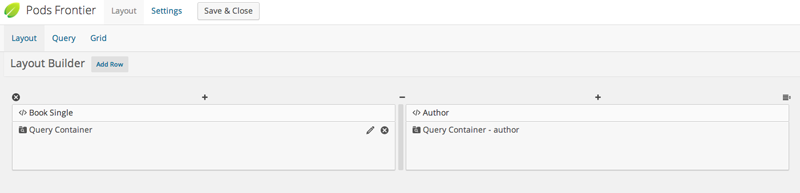
In addition to the layout and form editors Frontier provides, it also enhances the Template editor with abilities to do easily accomplish tasks that involved using PHP in the template. For example, previously, in order to avoid unnecessary markup around the output of a field with no value, you had to use a PHP conditional statement. Now it is a simple as using an <code>[if]</code> block. For example:
[if lightsaber_color]

<div>Lightsaber Color: {@lightsaber_color}</div>

[/if]
If no value is set in the lightsaber_color field, the label and other HTML markup will not be outputted. If blocks can even have else values, a default fallback message that is shown if there is no item value. For example, to show a specific contact number, or a default number if no value is set, you can do this:
[if department_phone]

<div class="contact-number">Contact This Department: {@department_phone}</div>

<!--.contact-number-->

[else]

<div class="contact-number">Contact Our Office: 112-358-1321</div>

<!--.contact-number-->

[/if]
For more info and more new options in Pods Templates, including simple each loops, custom css and JavaScript for a template and how to use the new Frontier layout and form editor, see the plugin’s readme.
Made With Pods Spotlight: Pitch.xo
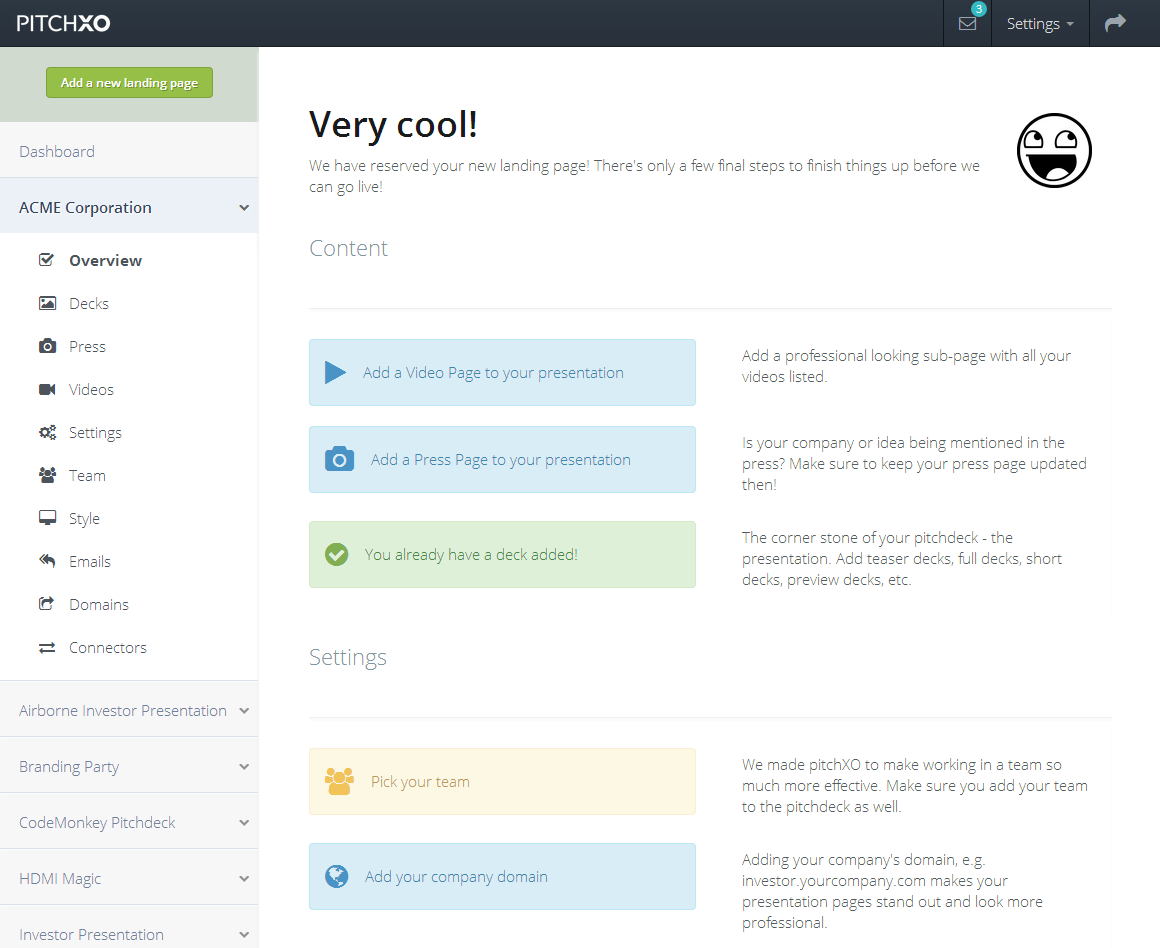 PitchXO is a new Pods and WordPress powered web for pitching business ideas with powerful tools for both content creation and lead tracking. Developed by Markus Stefano, who is an active contributor to Pods and author of several tutorials in our tutorials section, is an excellent example of the power of Pods to create powerful web apps with WordPress.
PitchXO makes extensive use of Gravity Forms and the Pods Gravity Forms add-on. In fact, users never see the WordPress admin, as all content is managed, and all options are set via front-end forms.
Do you have a site or app that you’ve made with Pods that you’d like us to consider for the “Made With Pods Spotlight” in a future newsletter? Send us an email at [email protected] with a link and information about how you used Pods and why you chose Pods and WordPress for your project.
Pods Example Code Highlight: Easy Caching Pods Queries
We are constantly working to optimize the queries that go into building an object of the Pods class. That said, the power of Pods is in the ability to easily work with complex database systems, which requires retrieving a lot of information from the database. So, while Pods will always require a lot of database queries, a commonly overlooked feature of the Pods class is how easy it is to cache Pods queries made with pods::find(). By defining one parameter, you can cache the results of your query in the object cache or in a transient. If you add the Pods Alternative Cache plugin, and/ or a persistent object cache, you can reduce the number of database queries involved with repetitive database queries to one.
In order to cache a pods::find() query, all you need to do is set a maximum expiration time for the cached query, using the ‘expires’ parameter. The default cache type is ‘object’ for object cache, alternatively you may set $params['cache_mode'] to ‘transient’ or ‘site_transient’. While object caching is generally the best method for caching pods::find() queries, object caching is not persistent by default in WordPress. You should consider using Pods Alternative Cache and/or a persistent object cache plugin in order to keep data in the object cache from page load to page load.
You can see exactly how easy it is in this code example, which shows how by defining $params['expires'] you can cache your query. It’s almost deceptively simple.
Do you have a cool code example you’d like to share? Submit it as a pull request to the Pods Code Library we are building! For more information, see the contributors guide.